From a shoebox of receipts and scribbled notes to a calmer weekly routine: a realistic AI walkthrough for sole traders
A step-by-step weekly routine that uses an AI assistant to sort notes, draft follow-ups and prepare a tidy expenses list for your bookkeeping, with the checks that keep it accurate.
 CirrumWeb studio for UK businesses
Published 5 min read
On this page
On this page
What you'll learn
- A weekly admin routine split into small, repeatable steps
- How to turn messy notes into a to-do list and follow-up emails
- How to prepare an expenses list your bookkeeping software can import
- Where AI shouldn't be trusted with your numbers
This walkthrough is for sole traders and very small teams who do their admin in bursts: a pile of receipts, notes on the backs of envelopes and a vague feeling there’s an email you forgot to send. It sets out one realistic weekly routine using a free AI assistant and the tools you probably already have. It won’t do your accounts for you, and it shouldn’t, but it can make the sorting and drafting less of a slog.
What you’ll need
An AI chat assistant (the free version is fine), a spreadsheet app such as Excel, Google Sheets or Numbers, and about an hour on the first week. After that, aim for a regular slot each week.
Step 1: Gather everything in one place
Before AI can help, you need your bits in one spot. Take photos of paper receipts and notes, and forward any emailed receipts to a single folder. Don’t sort anything yet.
Many AI assistants can read text from photos. If yours can’t, or you’d rather not upload receipts, type the key details from each one into a note: date, supplier, what it was for and the amount.
Keep the originals
A photo summarised by AI is not a receipt. Keep the original receipts, or clear photos of them, in the way your accountant or HMRC guidance tells you to.
Step 2: Turn scribbled notes into a to-do list
Paste in your notes from the week, however messy, and ask for them to be sorted.
Here are my rough notes from this week. Sort them into three lists:
1. Things I need to do, with the most urgent first
2. People I need to reply to or follow up with
3. Ideas to think about later

Keep my wording where you can. Don't add tasks I didn't mention. If a note is unclear, put it under "Unclear" rather than guessing.

Notes:
[paste notes]
Read through the result and correct anything it misunderstood. It’s your list, so the AI is only saving you the sorting.
Step 3: Draft the follow-up emails
For each person on your follow-up list, ask for a short draft, giving the facts in your own words. If you’ve written a style note for customer emails, paste that in first. The guide How to use AI to reply to customer emails explains how.
Send them after you’ve read and edited each one. Batch-drafting several at once tends to produce emails that all sound the same, so give each a quick personal touch.
Step 4: Prepare an expenses list your bookkeeping can import
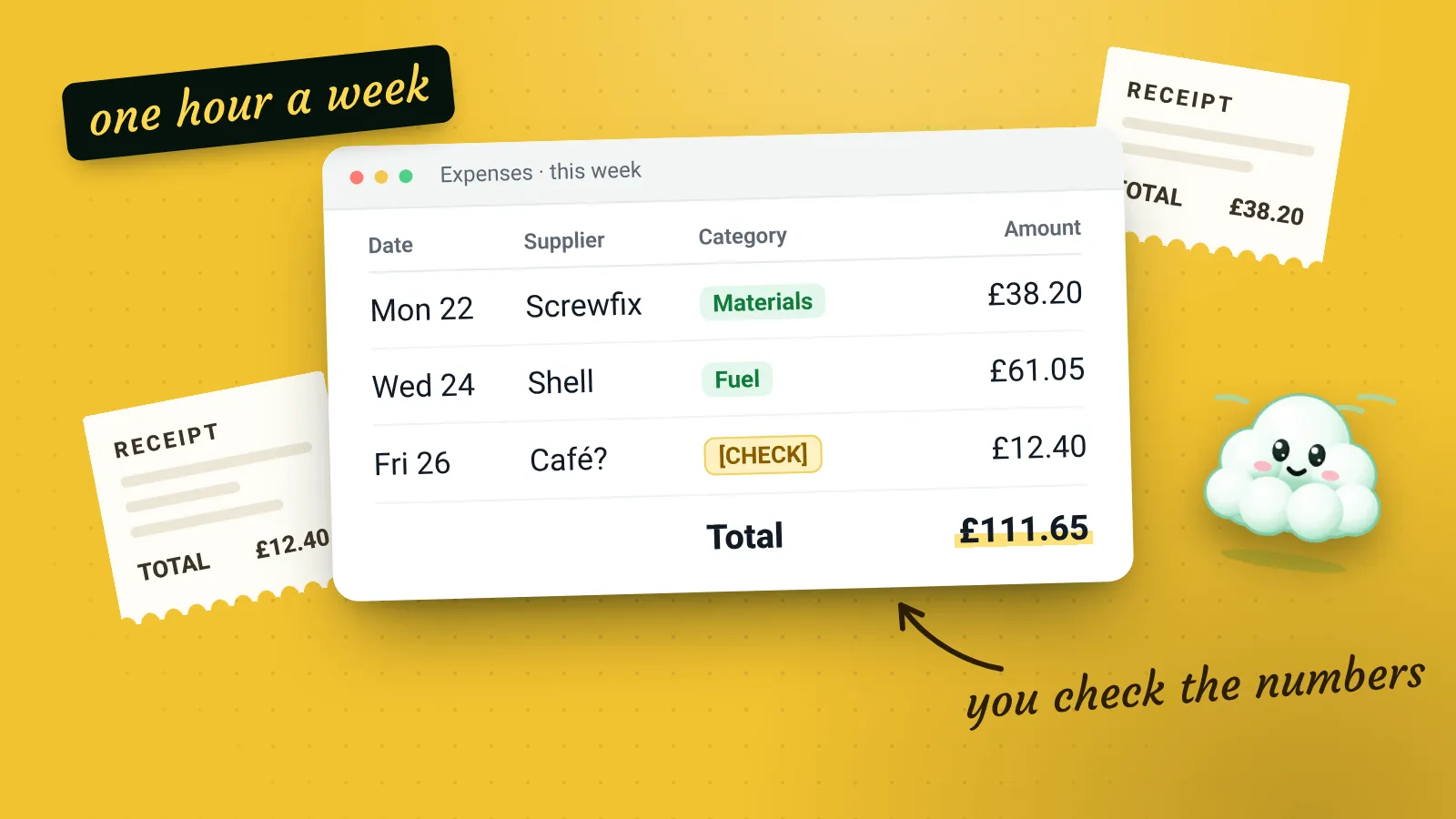
This is the step where AI saves the most fiddly typing, and needs the most checking. Ask it to turn your receipt details into a table with fixed columns, so you can paste it into a spreadsheet or import it into bookkeeping software.
Turn these receipt details into CSV with exactly these columns, in this order:
Date (DD/MM/YYYY), Supplier, Description, Category, Net, VAT, Gross, Paid by

Use only these categories: Materials, Travel, Equipment, Software, Phone and internet, Other.
Copy amounts exactly as written. If a receipt doesn't show the VAT, leave the VAT column empty. Don't calculate or estimate any amounts.

Receipts:
[paste receipt details]
You’ll get something like this, ready to paste into a spreadsheet:
Date,Supplier,Description,Category,Net,VAT,Gross,Paid by
02/09/2026,Builders' merchant (Newton Abbot branch),"Timber, screws and wood glue for the Hall Road job",Materials,84.50,16.90,101.40,Business debit card
03/09/2026,Rail operator,Return ticket to Exeter St Davids for supplier meeting,Travel,,,23.80,Business debit card
05/09/2026,Mobile network,Monthly phone contract,Phone and internet,15.00,3.00,18.00,Direct debit
Then check it against the receipts. Here’s what each check catches:
| What to check | What can go wrong | How to check it quickly | What to do if it’s wrong |
|---|---|---|---|
| Every amount | A misread digit, like 18.00 read as 16.00, or the total used as the net | Compare each row with the receipt photo, line by line | Correct it in the spreadsheet, not in the AI chat |
| Dates | US-style dates (month first) or the wrong year | Look for any day above 12 in the month position | Fix the format before importing |
| VAT | Invented or calculated VAT where the receipt shows none | Make sure there’s a VAT figure on the receipt itself for every row that has one | Clear any VAT the receipt doesn’t show |
| Categories | A sensible-sounding but wrong category | Skim the category column against your usual choices | Change it; your accountant’s categories win |
| Missing receipts | One skipped or merged with another | Count the rows against the receipts | Add the missing row by hand |
Never let AI do your tax sums
AI tools can make arithmetic mistakes and can confidently get tax rules wrong. Use them for typing and tidying only. Let your spreadsheet do the sums, and let your bookkeeping software or accountant handle anything to do with tax.
Step 5: Plan next week in five minutes
Finish by pasting your to-do list back in and asking for a simple plan for the coming week, given the days you’re actually working. Treat it as a suggestion and move things around to fit real life.
Here's my to-do list. I'm working Monday to Thursday next week, mostly on site, with Tuesday afternoon free for admin. Suggest which day to do each task, keeping urgent ones early. Keep it realistic: no more than three admin tasks on any day.

[paste your list]
How long does this take?
It depends on how much there is to sort and how carefully you check, and the checking shouldn’t be rushed. The first week will be slower while you set up your prompts. After a few weeks, most of the time goes on reading and checking rather than typing, which is where your attention should be.
Make it a habit
- Pick the same slot each week and put it in your calendar.
- Save the prompts above in a note so you can copy them quickly.
- Keep one folder for the week’s receipts and notes, and empty it each time.
- If a step isn’t saving you time, drop it. A routine you keep doing beats a perfect one you abandon.